
Before you launch Risk of Rain 2 with Nucleus Co-op
Launch Risk of Rain 2 normally first and record the game build, launcher path, and whether your existing save loads correctly. Nucleus Co-op can coordinate multiple instances only when the game and handler can work together; it cannot repair a game installation that already fails outside the application.
Use a local writable Nucleus Co-op folder and close unrelated controller or overlay tools for the first test. If the handler has a required launch order, mod, or player limit, treat that note as part of the setup rather than an optional suggestion.
- A legitimate Windows installation that launches by itself.
- The exact Risk of Rain 2 build and launcher path.
- The current handler source and any documented requirements.
- One or two known controller paths for the baseline test.
- A backup of important saves before testing instance-specific behavior.
Match the Risk of Rain 2 handler to the game build
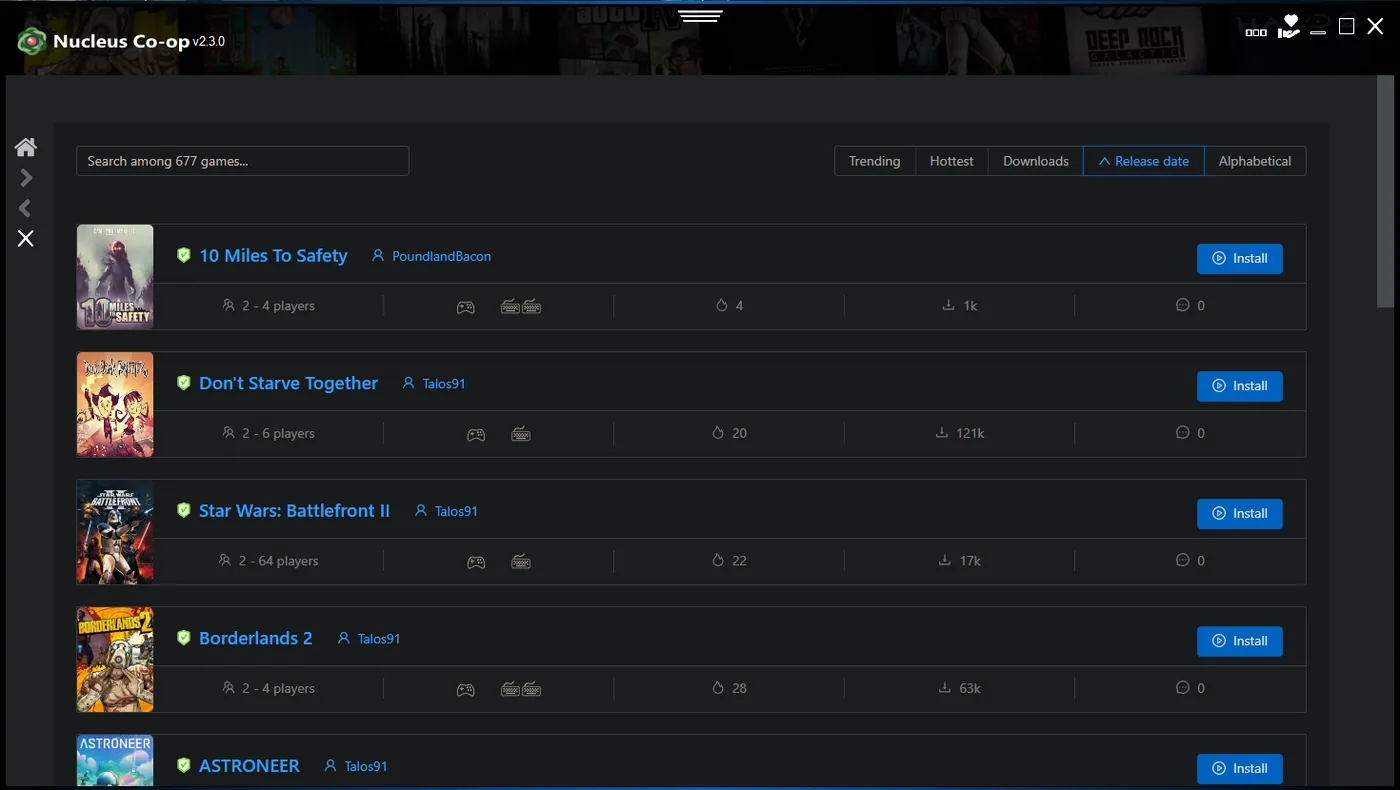
Handler compatibility is version-sensitive. A game update can change an executable, launch argument, save location, mod interface, or network behavior. Read the handler notes for the version you own and do not combine an old tutorial with a different current build without recording the difference.
If the handler downloader does not work, determine whether every handler fails or only this game entry. Review the handler guide for WebView2, network, and manual-source guidance, and keep the application source separate from any game-specific handler files.
| Check | Why it matters |
|---|---|
| Game edition | Different releases can use different executable and launcher assumptions. |
| Handler version | The handler may target a particular build or mod path. |
| Player count | A handler's visible window count is not always the same as a supported session. |
| Connection step | The game may require its own lobby, LAN, online, or mod workflow. |
Test Risk of Rain 2 controllers and window layout
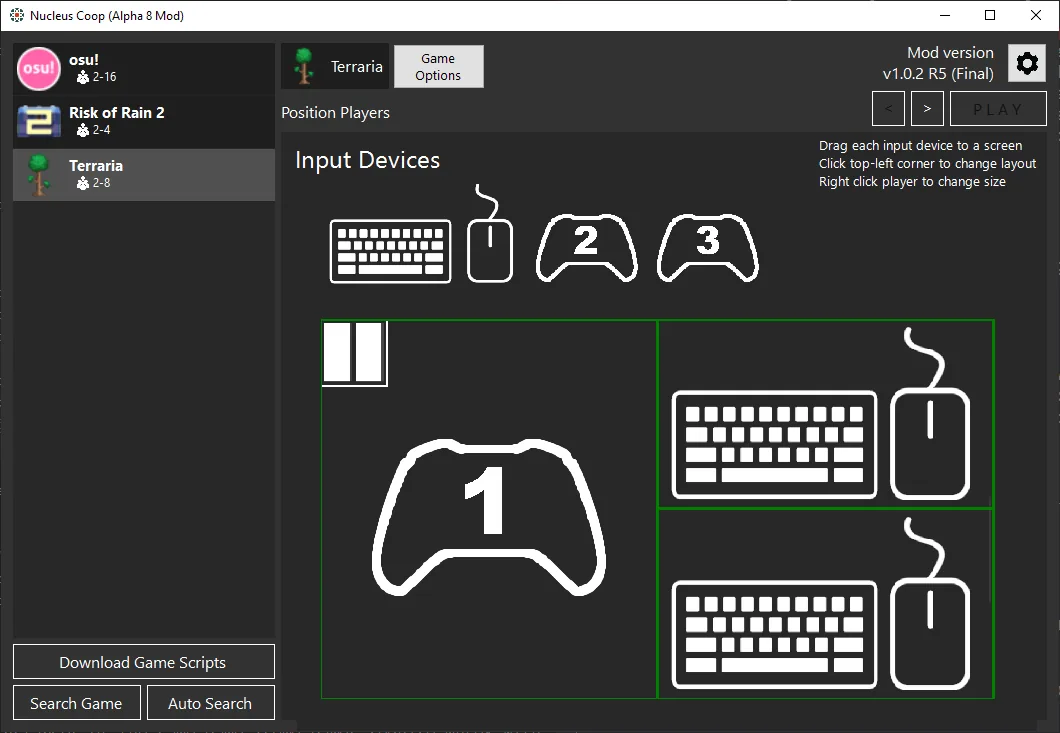
Start with two known controller devices or the simplest keyboard path the handler documents. Test player one, then player two, and verify that movement does not cross between instances. If one controller controls both windows, investigate input isolation before changing the resolution or adding a second remapping tool.
Use the handler's default window arrangement for the first launch. Once input works, you can test borderless mode, monitor placement, ultrawide scaling, and other display changes one at a time. A stable baseline makes later visual fixes easier to compare.
Connect the devices
Pair or plug in the controllers before launching the instances.
Launch the handler
Use the exact game path and handler notes for the current build.
Move one player
Confirm that the other instance remains independent.
Arrange windows
Use the default layout before changing resolution or monitor settings.
Check connection and save behavior
After the windows and controllers work, follow Risk of Rain 2's own connection instructions. Do not assume Nucleus Co-op creates an online or LAN session automatically. The correct path can depend on the handler, game mode, mod, and game build.
Run a short test and exit cleanly. Check whether the game creates separate instance folders, shares a save path, or expects a single profile. Back up important saves before experimenting with copy, import, or instance-specific files. If a save does not appear, record the path and handler behavior instead of copying random files from another guide.
Record a working Risk of Rain 2 Nucleus Co-op setup
Before you change a working Risk of Rain 2 Nucleus Co-op setup, write down the application version, handler version or date, game build, executable path, launcher, controller type, window layout, and connection method. The record does not need to be complicated. Its purpose is to preserve the exact combination that opened both windows and kept each player independent.
Note the launch sequence as well: whether the game was started normally first, when the handler was selected, how many instances opened, when the controllers were assigned, and which game menu or lobby connected the session. If an error appears later, this sequence helps separate a handler problem from a save, input, network, or game-build problem.
When a Risk of Rain 2 update or handler update changes the result, compare the new run with the old record instead of applying several community fixes at once. Test one variable, keep a short backup of important saves, and report the exact difference. A clear version boundary makes the Nucleus Co-op community guide easier to maintain and keeps a successful local setup reproducible.
Use the record as a stop rule as well as a troubleshooting note. If the handler cannot identify the game, if the second window closes, or if the save path is unclear, pause before starting a long run. A small controlled test protects the game files and gives the next Nucleus Co-op change a clear starting point.
- Application and handler version.
- Risk of Rain 2 build and executable path.
- Window count before the connection step.
- Controller or keyboard assignment for each player.
- Save folder changed after the test.
- Exact error and the step where it appeared.
| Record | Example question |
|---|---|
| Versions | Which application, handler, and Risk of Rain 2 build were tested? |
| Launch | Did both instances open before the connection step? |
| Input | Which physical devices controlled player one and player two? |
| Saves | Which folder changed after a short test and clean exit? |
Practical notes for a stable setup
Risk of Rain 2 Nucleus Co-op FAQ
How do I set up Risk of Rain 2 in Nucleus Co-op?
Launch the game normally, match the handler to the exact build, use a simple controller setup, test two windows, and follow the game's own connection instructions.
Why does Risk of Rain 2 crash in Nucleus Co-op?
Compare the game build, handler version, launcher, mods, permissions, save path, and controller tools with a normal game launch.
Why does one controller control both Risk of Rain 2 instances?
Check input isolation, device duplication, focus, and the handler's expected input API before changing display settings.
Can I use online play with Risk of Rain 2 Nucleus Co-op?
Only when the current game and handler setup provides a supported connection path. Check the exact handler notes rather than assuming online support.
Are Risk of Rain 2 saves shared between instances?
Save behavior is handler- and build-dependent. Back up the original files and test a short session before copying or importing saves.
Need the general setup steps?
Use the installation and controller guides to build a clean Nucleus Co-op baseline before returning to game-specific notes.
Open the install guide