
The short answer: online support is game-specific
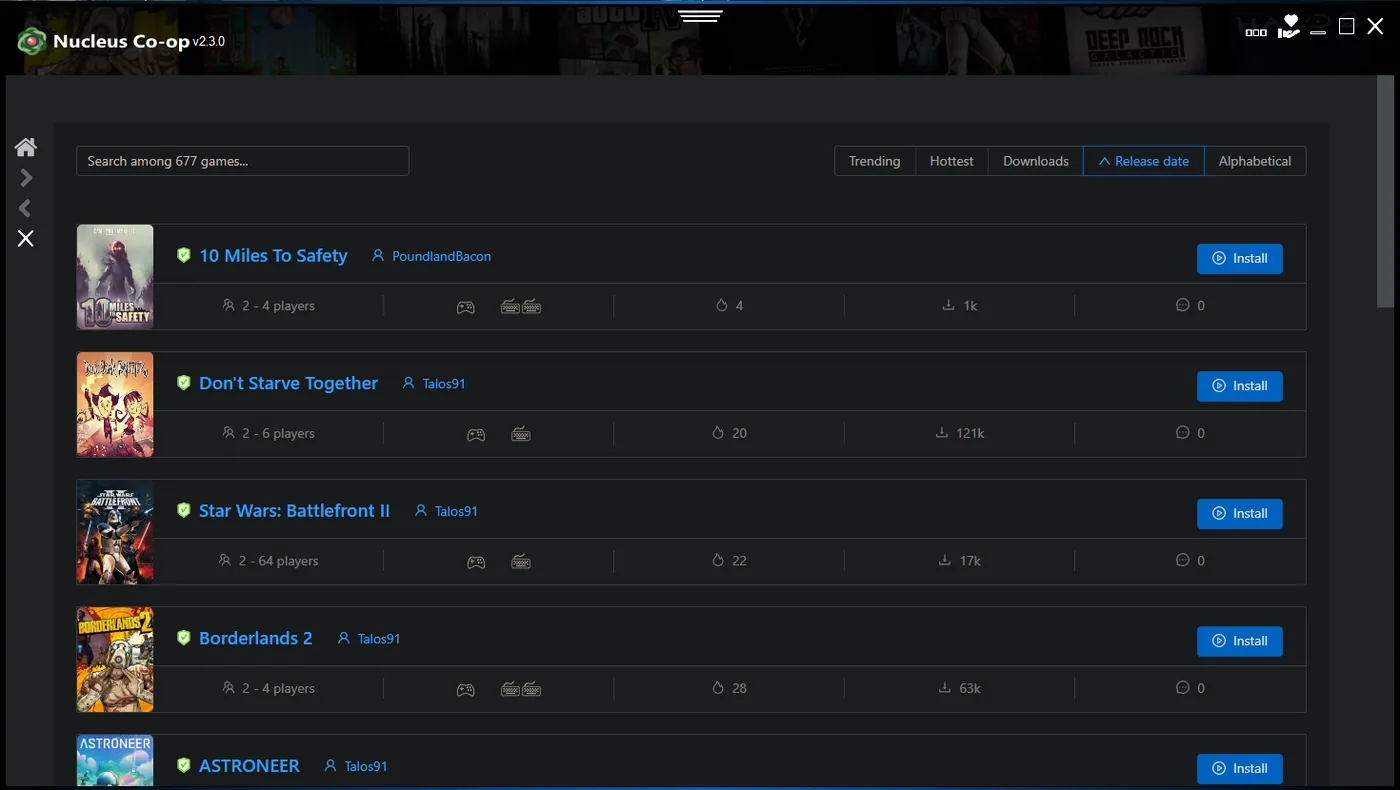
Nucleus Co-op is primarily used to launch and arrange multiple instances of supported Windows games for local split-screen or shared-screen play. Whether those instances can connect through LAN, an online service, a mod, or a game-specific workaround depends on the title and its handler. Nucleus Co-op itself is not a universal online multiplayer layer.
That means “does Nucleus Co-op work online?” has to be answered at the game level. A title may use a built-in LAN mode, require an online account, need a supported mod, or work only as separate local instances. Check the exact game page and handler notes before you open ports, change firewall rules, or assume that Wi-Fi is the missing piece.
| Layer | What it may need | What to verify |
|---|---|---|
| Nucleus Co-op app | Local files and optional network access for handler downloads. | Can the app open and see its handlers? |
| Handler | A source, downloader, mod, or title-specific launch path. | Does the handler match the game build? |
| The game | LAN discovery, an online service, a mod, or no connection at all. | Does the game provide a valid multiplayer path? |
| Windows network | Firewall, adapter, permissions, and local network visibility. | Can the relevant processes communicate? |
Separate the application, handler, and game network layers
A handler download can need the internet even when an already-installed Nucleus Co-op session can launch locally. Conversely, the application may open while a game needs LAN discovery or an online service to connect the instances. Test each layer separately so an offline launcher symptom is not confused with a game networking problem.
A useful first record includes whether the app opens, whether the handler list loads, whether a second instance starts, and whether the game reaches its own lobby or connection screen. Also note whether all instances are on one PC, whether a second PC is involved, and whether the game has a documented LAN or mod route.
- App opens but handler download fails: investigate WebView2, network access, source availability, and security logs.
- App and handlers work but instances cannot connect: investigate the game's LAN, online, or mod requirements.
- Instances launch but only one can sign in: check the game's account, launcher, and session rules.
- A second PC is involved: confirm the game and handler support that topology; do not assume local split-screen support extends to a networked setup.
Does Nucleus Co-op need Wi-Fi or an internet connection?
Not every Nucleus Co-op task needs Wi-Fi. The app may open offline, and a game that runs entirely through local instances may not need an internet connection after the handler and prerequisites are already installed. However, the handler downloader, a game launcher, account authentication, LAN discovery, mod download, or an online service can still need network access.
If you are testing an offline setup, download the application and handler first, launch the game normally, then disconnect only after you have a known-good baseline. When the session fails offline, identify whether the error appears before the game opens, at the game's connection step, or during a handler action. Those observations point to different fixes.
| Question | Practical answer |
|---|---|
| Does the app always need Wi-Fi? | No single rule applies; already-installed local workflows may start offline. |
| Does a handler downloader need internet? | Often yes, because it must reach a source or embedded download flow. |
| Does the game need internet? | Only if the game, launcher, account, mod, or connection mode requires it. |
| Is LAN the same as online? | No. LAN discovery and online services are separate game behaviors. |
Local LAN play, online modes, and game-specific mods
When a handler supports a game connection method, follow the game's own steps after the instances launch. That may mean opening a local lobby, selecting LAN, using an online mode, loading a mod, or entering a connection code. Nucleus Co-op can arrange the instances and input paths, but the title still decides how players join and how saves or accounts are handled.
Do not treat a community game list as a permanent compatibility promise. A patch, launcher change, anti-cheat change, mod update, or handler revision can change the connection path. Use the exact game page, record the version, and test a short session before changing firewall or router settings.
Confirm the topology
Write down whether all players are using one PC, one local network, or multiple PCs.
Read the game notes
Check whether the handler expects LAN, an online service, or a specific mod.
Launch the instances
Verify that each window opens and each controller reaches the correct player.
Connect inside the game
Use the title's own lobby, LAN, online, or mod workflow.
Test a short session
Confirm movement, save behavior, and a clean exit before a long play session.
Firewall, offline, and connection troubleshooting
If a game cannot connect, check which process actually needs network access before changing Windows Firewall. The handler downloader, Nucleus Co-op executable, game executable, launcher, and mod loader may be separate processes. Allowing every unknown program or disabling security globally can hide the cause and reduce protection without proving that the game supports the desired connection mode.
Repeat the same test after each controlled change. If the app works but the game does not, compare the game outside Nucleus Co-op on the same PC and network. If a second handler downloads normally, the problem may be a single source rather than a global offline issue.
- Record the exact error and the stage where it appears.
- Test the game outside Nucleus Co-op to confirm its normal network behavior.
- Check Windows Firewall for the exact process rather than disabling protection as a first step.
- Confirm the game version, handler version, mod version, and launcher account state.
- Avoid port forwarding unless the game's own documentation requires it and explains the risk.
Practical notes for a stable setup
Nucleus Co-op online and offline FAQ
Can you play Nucleus Co-op games online?
Sometimes, but only when the game and handler support an online, LAN, or mod-based connection path. Nucleus Co-op does not add online multiplayer to every game.
Does Nucleus Co-op need Wi-Fi?
The app may start offline for some local workflows, but handler downloads, launchers, LAN discovery, accounts, mods, or online services can require network access.
Is Nucleus Co-op an online multiplayer mod?
It is a Windows launcher and handler system for supported multi-instance workflows. The game and any required mod still provide the multiplayer behavior.
Why do my instances launch but not connect?
Check the game's own lobby or LAN mode, handler notes, game build, mod, launcher, firewall, and account requirements.
Can I use Nucleus Co-op with a second PC?
Do not assume so. Check whether the exact game and handler support that network topology; local split-screen support does not automatically mean multi-PC support.
How do I allow Nucleus Co-op through Windows Firewall?
Identify the process that needs access, review the game's or handler's requirements, and allow only the necessary application. Avoid disabling the firewall globally as a first step.
Check the game before changing the network
Open the supported games list and match the connection instructions to the exact title and handler version.
Browse supported games